If you find yourself in a situation where you need to turn on all the equipment to prepare for filming, this guide if for you.
- Turn on the MAIN POWER SWITCH in our Production room. This switch is located next to the electrical panel in the Production Room.
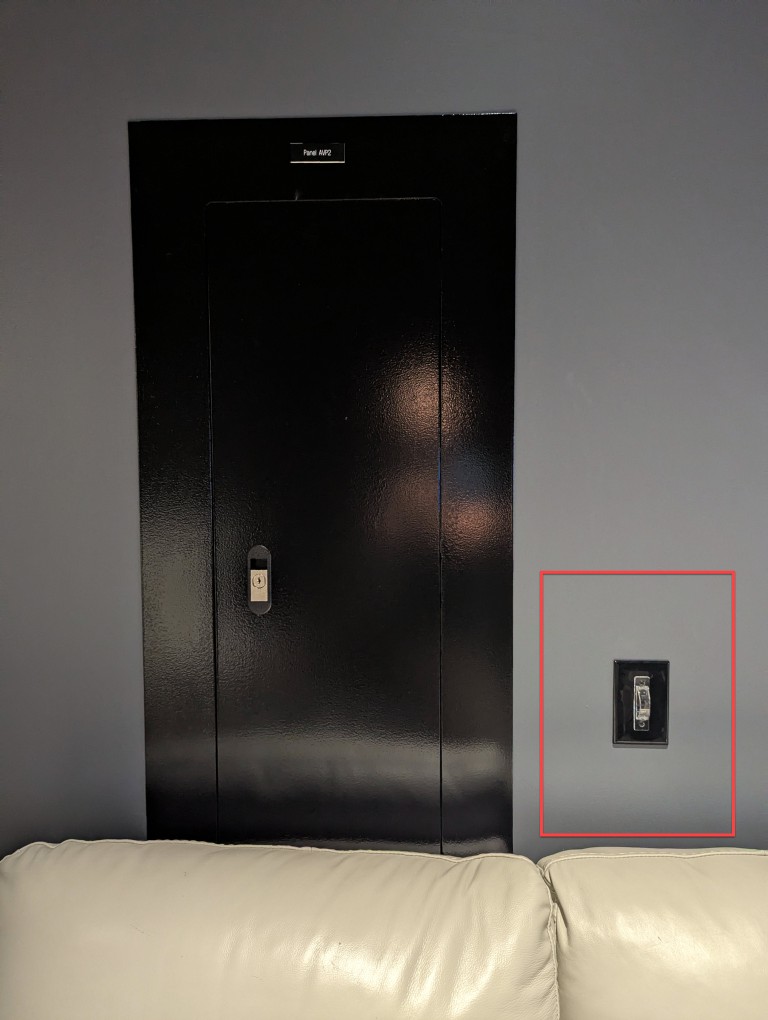
- Turns on electrical outlets where all cameras plug in.
- Turns on TVs, switcher board and all needed equipment at the production desk
- Walk to every camera and check the following:
- Power strip is on
- Turn on the Camera
- Turn on External Blackmagic Display
- Turn on Tally light
- Turn on Communication Radios
- Make sure you can see the image on screen
- Turn on Front Crane
- Turn on Rear Crane
- Walk over to the stage and turn on Hollyland Wireless Receivers for cameras 6 (rig) and 7 (glide cam, if needed that day)
- Back in the studio
- Check main TV for signal from each camera
- Panasonic Iris Controllers
- Make sure every IRIS controller is on
- If “auto” light is on, press it to turn off for each camera. We control IRIS manually.
- Make sure have CG2 (projector) selected for Program feed
- At this stage you can start to Setup Live Stream